If you're building AI agents in TypeScript, you've probably come across Mastra. It's one of the most active agent frameworks in the ecosystem, with a clean API for defining agents, tools, and multi-agent workflows. Teams at Replit and Fireworks use it in their stacks.
The thing is, a framework gives you building blocks, not a place to run them. You still need deployment, observability, state management, and infrastructure around your agents before they're useful to anyone.
That's the gap Agentuity fills. It's a full-stack platform for AI agents: deployment, observability, cloud services, and an AI Gateway. It complements the framework you're already using. Bring your Mastra agents, wrap them in a few lines, and deploy with one command. And if you don't need a framework at all, you can build agents directly on the Agentuity SDK too.
The Integration Pattern
Define your agent with Mastra, then wrap it with Agentuity's createAgent(). Mastra handles the agent logic and LLM calls. Agentuity handles deployment, persistent state, routing, and infrastructure.
Here's a conversational agent with memory — Mastra runs the conversation, Agentuity's thread state persists history across requests:
import { createAgent } from '@agentuity/runtime';
import { s } from '@agentuity/schema';
import { Agent } from '@mastra/core/agent';

const chatAgent = new Agent({
  id: 'chat-agent',
  name: 'Chat Agent',
  instructions: 'You are a helpful assistant. You remember previous conversations within this thread.',
  model: 'openai/gpt-4o-mini',
});

export default createAgent('chat', {
  schema: {
    input: s.object({ message: s.string() }),
    output: s.object({ response: s.string() }),
  },
  handler: async (ctx, { message }) => {
    const history = (await ctx.thread.state.get('messages')) ?? [];
    const result = await chatAgent.generate([...history, { role: 'user', content: message }]);

    await ctx.thread.state.push('messages', { role: 'user', content: message }, 20);
    await ctx.thread.state.push('messages', { role: 'assistant', content: result.text }, 20);

    return { response: result.text };
  },
});
Mastra's Agent class gives you the LLM layer. Agentuity's createAgent() gives you everything around it: typed schemas, thread-isolated state, structured logging via ctx.logger, and automatic observability. Run agentuity deploy and you're live. See the full agent-memory example.
What You Get from the Platform
Mastra gives you the framework for building agents. Agentuity gives you the platform for running them.
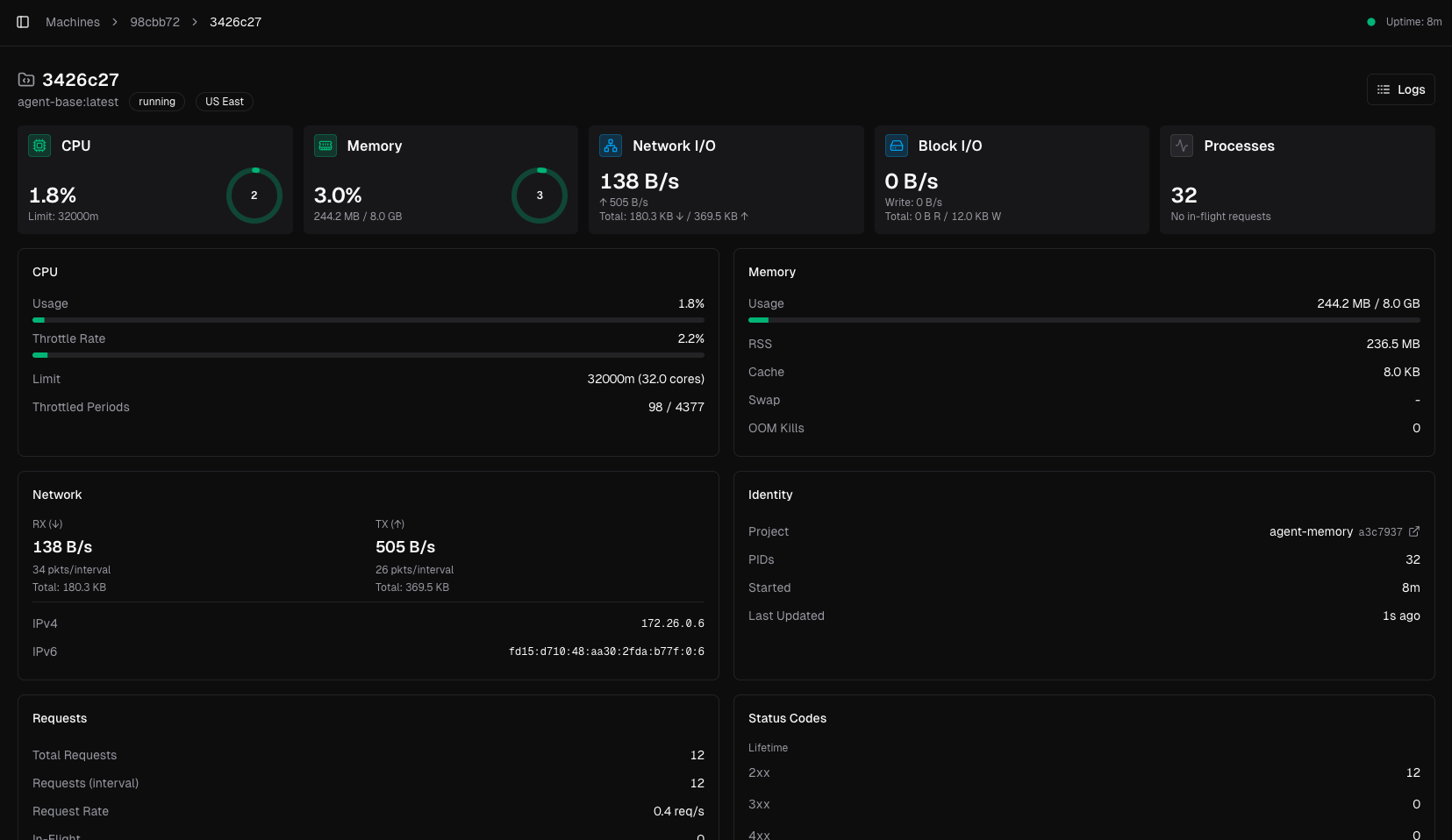
- Observability — Every invocation is traced. Logs, latency, token usage, and session history show up in the dashboard with no instrumentation code.
- Thread State — Persistent, thread-isolated storage via
ctx.thread.state. Extends to approvals, preferences, and any state your agent carries between requests. - Cloud Services — KV, vector search, and object storage accessible from
ctx. No provisioning, no connection strings. - AI Gateway — Unified access to OpenAI, Anthropic, Google, and more through a single gateway, plus open-source models you can reach directly through the gateway SDK. You don't need to juggle separate API keys, and you get unified billing and usage in the Agentuity dashboard.
- Agent-to-Agent Networking — Deploy multiple Mastra agents and have them call each other through Agentuity's router.
Deploy a Mastra agent and the dashboard lights up automatically:
The Examples
We've built reference projects covering Mastra's major features, each deployed on Agentuity. They're all complete — agent code, React frontend, API routes, and evals. Here are a few highlights.
Tool Calling with Real APIs
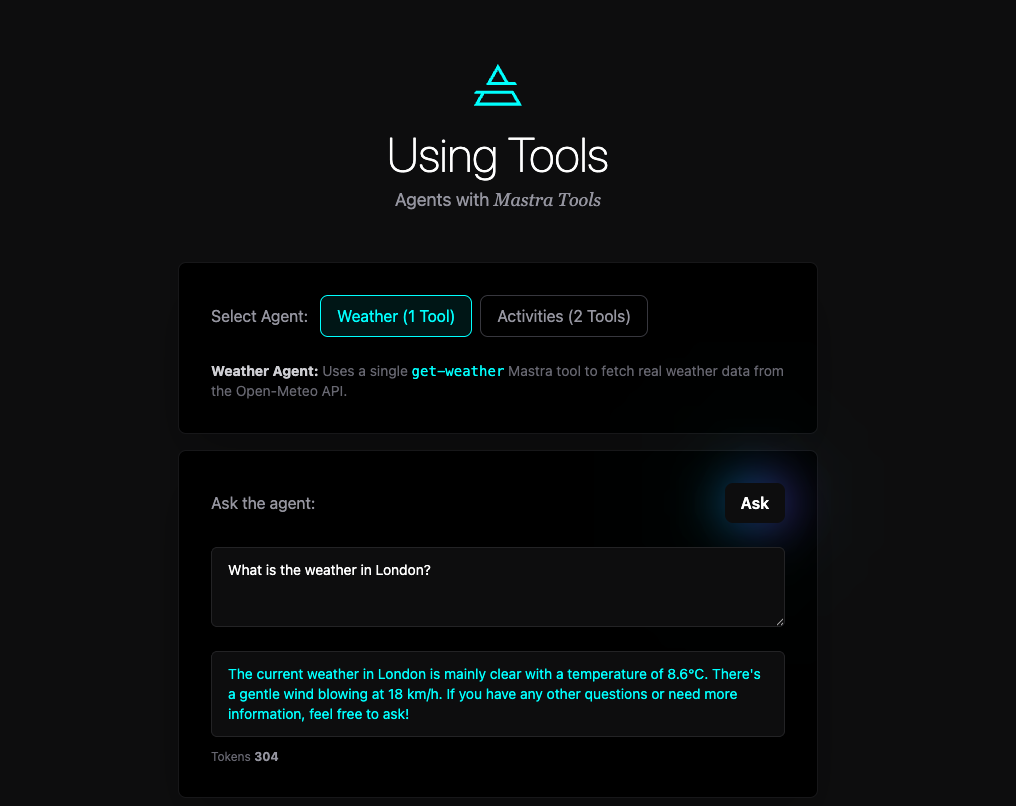
Mastra's createTool() gives you typed inputs, descriptions for the LLM, and an execute function. The agent decides when to call the tool based on the user's message. Here's a weather tool hitting the Open-Meteo API:
const weatherTool = createTool({
id: 'get-weather',
description: 'Fetches current weather for a location',
inputSchema: z.object({
location: z.string().describe('The city or location to get weather for'),
}),
execute: async ({ location }) => {
const coords = await getCoordinates(location);
if (!coords) return `Could not find location: ${location}`;
const data = await fetch(
`https://api.open-meteo.com/v1/forecast?latitude=${coords.lat}&longitude=${coords.lon}¤t=temperature_2m,weather_code,wind_speed_10m`
).then(r => r.json());
return `${coords.name}: ${data.current.temperature_2m}°C, Wind: ${data.current.wind_speed_10m} km/h`;
},
});
const weatherAgent = new Agent({
id: 'weather-agent',
instructions: 'You are a helpful weather assistant. Use the get-weather tool to fetch weather data.',
model: 'openai/gpt-4o-mini',
tools: { weatherTool },
});Mastra handles the function calling loop. Agentuity handles deployment and schema validation. The using-tools example also includes an activities agent that combines weather with a second tool to suggest things to do.
Structured Output
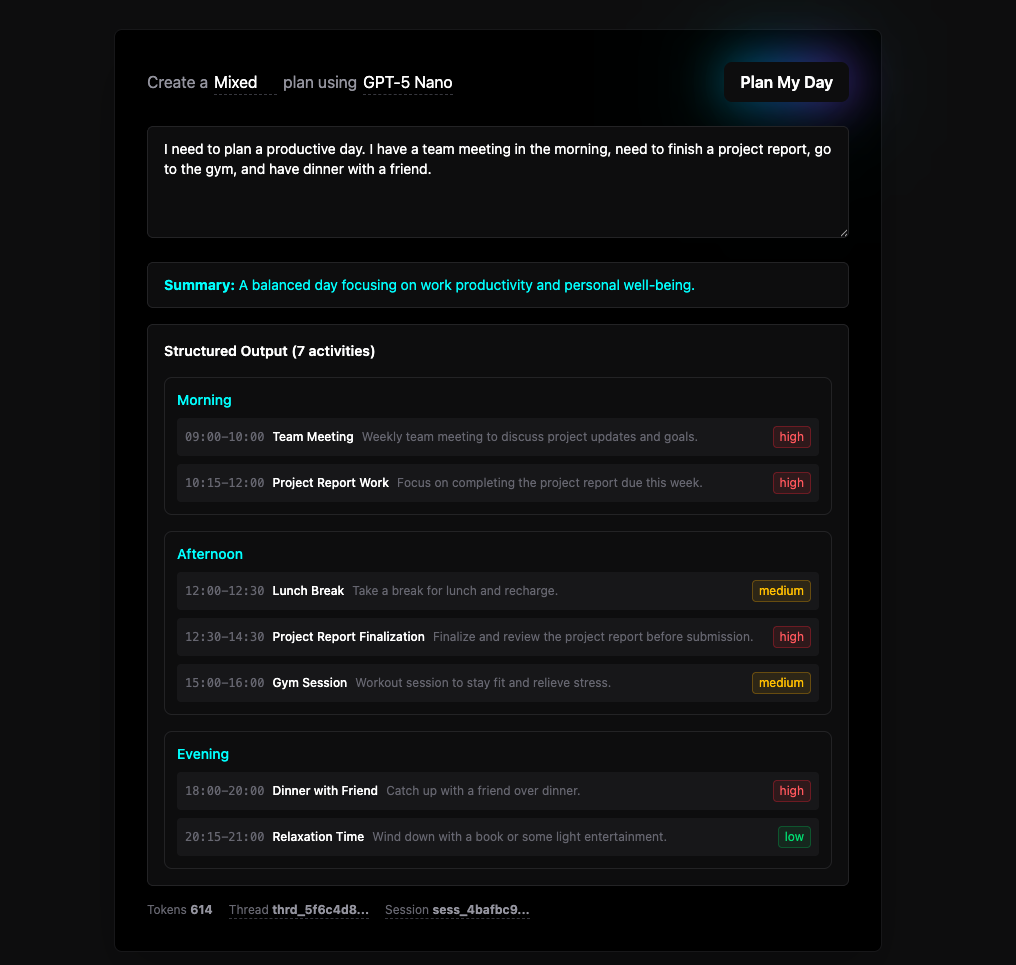
When you need the LLM to return data in a specific shape, Mastra's structuredOutput paired with a schema library like Zod handles it. The structured-output example builds a day planner that returns typed time blocks, priorities, and summaries, all validated at the LLM layer before your code ever sees them.
On the Agentuity side, s schemas validate the API layer. They're lightweight and purpose-built for agent I/O, but the platform supports any standard schema library you're already using.
Human-in-the-Loop Tool Approval
Some tools shouldn't execute without a human saying yes. The agent-approval example implements both tool-level and agent-level approval patterns.
When a Mastra agent wants to call a sensitive tool, it suspends instead of executing. You get a runId to resume later:
const result = await approvalAgent.generate(text, { requireToolApproval });

if (result.finishReason === 'suspended' && result.runId) {
  await ctx.thread.state.set('pendingApproval', {
    toolName, runId: result.runId, status: 'pending',
    reason: 'This tool permanently deletes user data.',
  });
  return { response: `Tool "${toolName}" requires approval.`, suspended: true };
}
When the user approves or declines, Mastra resumes from exactly where it left off:
await approvalAgent.approveToolCallGenerate({ runId: pending.runId });  // tool executes
await approvalAgent.declineToolCallGenerate({ runId: pending.runId });  // tool skipped
The example includes four tools across a safety spectrum — get-weather and search-records execute immediately, while delete-user-data and send-notification always require approval. Thread state stores the full approval history for an audit trail.
Multi-Agent Networks
Mastra lets you compose agents into networks with LLM-driven routing. The network-agent example sets up a routing agent that delegates to research and writing sub-agents:
const routingAgent = new Agent({
  id: 'routing-agent',
  instructions: `You are a network of writers and researchers.
    Use the research agent to gather facts, then the writing agent to produce content.`,
  model: 'openai/gpt-4o-mini',
  agents: { researchAgent, writingAgent },
  tools: { weatherTool },
});
The network-approval example takes this further, combining multi-agent routing with three execution types: immediate execution for safe tools, approval-required for sensitive operations, and suspend/resume for user confirmations. Agentuity's thread state stores the full conversation state across all three flows, so users can close their browser and resume later.
Putting It All Together
Every example follows the same integration pattern: Mastra defines the agent logic, Agentuity wraps it with createAgent() for deployment, and ctx.thread.state bridges stateless HTTP and stateful agent conversations. Each project includes evals so you can verify behavior as you make changes.
| Example | Mastra Feature | What It Shows |
|---|---|---|
| agent-memory | Agent, thread state | Conversational context with sliding window |
| using-tools | createTool, Agent | Tool calling with real APIs |
| structured-output | structuredOutput, Zod | Type-safe LLM responses for UI rendering |
| agent-approval | Tool approval | Human-in-the-loop for sensitive operations |
| network-agent | Multi-agent routing | Research + writing agent coordination |
| network-approval | Network suspend/resume | Approval + suspend/resume in multi-agent flows |
If you're already using Mastra, adding Agentuity takes minutes. If you're evaluating TypeScript agent frameworks, Mastra is a solid choice for the logic layer, and Agentuity handles everything around it.